
Are you struggling to maintain visibility over your family's rapidly expanding digital footprint? Establishing a reliable monitoring system requires mapping all internet-connected hardware, selecting dedicated analytics tools over basic carrier controls, and maintaining transparent communication about privacy. In my consulting work bridging data privacy and user rights, I constantly see families overwhelmed by the sheer volume of devices and apps entering their homes. The solution is not to lock everything down, but to implement a systematic, step-by-step framework that provides routine visibility without crossing ethical boundaries.
Technology adoption is accelerating faster than most household rules can adapt. To build an effective digital oversight strategy, you need to approach the problem methodically. Below is the framework I recommend for establishing practical, privacy-respecting visibility into your family's digital routines.
Step 1: What Devices Actually Connect to the Internet in Your Home?
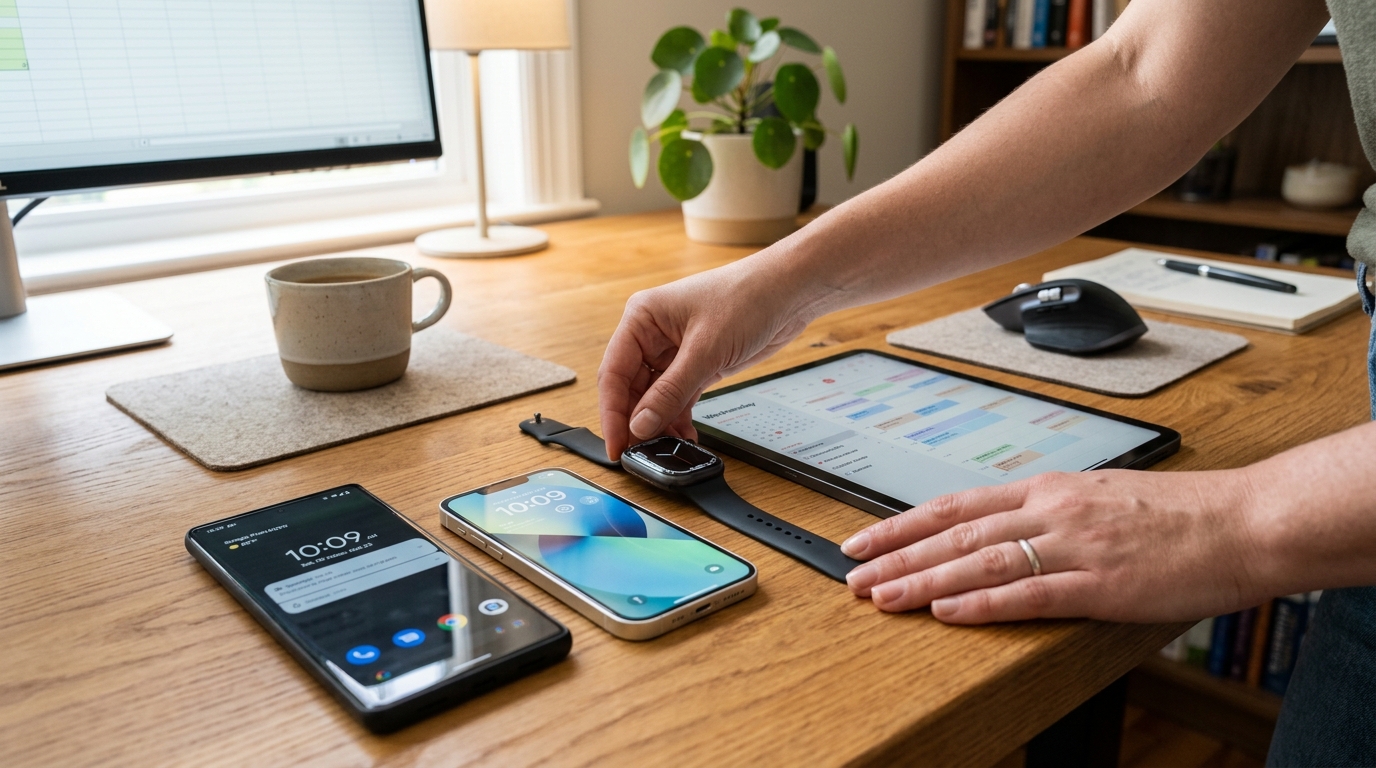
Before you can monitor anything, you must conduct a comprehensive hardware audit. The days of simply putting a password on the family computer are long gone. Modern households are a complex network of personal smartphones, tablets, gaming consoles, and increasingly, wearable devices.
Many parents focus entirely on the mobile phone, completely missing the secondary devices their children use to communicate and browse. According to the 2026 Worldwide Fitness Trends report published by the American College of Sports Medicine (ACSM), wearable technology is the number one trend globally. The report highlights that 36% to 44% of adults now own wearable technology, driving a global market projected to reach $186 billion by 2030. As these devices trickle down to younger users, they become another unmonitored channel for digital activity.
Actionable Tip: Create a physical inventory list of every device in the house. Categorize them into primary communication devices (smartphones), secondary screens (tablets, laptops), and peripherals (smartwatches). You cannot secure a network if you do not know what is connected to it.
Step 2: Why Should You Separate Hardware Controls From Software Analytics?
Once you know what devices are in play, you must distinguish between device-level restrictions and behavioral analytics. Families often manage a mixed hardware environment. For instance, you might have handed down an older iPhone 11 to a middle schooler, while older teenagers are using newer models like the iPhone 14, the larger iPhone 14 Plus, or the feature-heavy iPhone 14 Pro.
Relying solely on Apple's Screen Time or basic network allowances from carriers like T-Mobile provides a baseline, but these tools are fundamentally designed to restrict access, not to analyze behavior. Carrier-level controls might cut off cellular data at 10 PM, but they will not tell you if your child is bypassing this by logging onto a neighbor's Wi-Fi network to use messaging apps.
This is where specialized software comes into play. You need tools that map digital routines rather than just bricking the device. When you separate your hardware restrictions (like app installation limits) from your software analytics (like tracking when a user is active online), you gain a much clearer picture of actual behavior.
Step 3: How Do You Choose the Right Online Tracker for Your Needs?
Selecting the right software requires identifying your primary pain point. Do you need to filter explicit web content, or do you simply need to verify that your child is actually sleeping instead of chatting at 2 AM? As Ceren Polat explained in a recent analysis on which family monitoring app category fits your needs best, installing every available surveillance feature is counterproductive and often damages trust.
For parents primarily concerned with late-night messaging and sleep deprivation, an online status tracker is highly effective. These applications log connection timestamps without reading message contents, preserving a crucial layer of user privacy while delivering the necessary routine data.
As a mobile app company, Activity Monitor develops tools specifically for this purpose. Our portfolio includes Luna - Parental Online Tracker, which provides direct visibility into last seen statuses and online duration for specific messaging platforms. By using a focused parental tool like Luna, you capture the exact data points needed to enforce bedtime rules without demanding access to personal conversations.
Step 4: How Do You Balance Parental Oversight With Legal and Ethical Privacy?
From a privacy perspective, the tools you use must match the maturity level of the user. What is appropriate for a ten-year-old is highly intrusive for a seventeen-year-old. The goal of monitoring should eventually shift from active control to guided independence.
We are experiencing a period of rapid technological change. To put this in perspective, Deloitte's Tech Trends 2026 report notes that a leading generative AI tool recently reached over 800 million weekly users—roughly 10% of the global population—in an incredibly short timeframe. The report emphasizes that AI startups are scaling five times faster than traditional SaaS companies. Because new platforms, chat protocols, and AI agents are emerging constantly, trying to block every single new app is a losing battle.
Instead, focus on behavioral patterns. If you notice erratic online schedules or sudden spikes in late-night activity, that is your trigger to have a conversation. Another option in our portfolio, Seen Last Online Tracker, SUNA, allows families to analyze these connection patterns over time. The data serves as an objective starting point for a discussion ("I noticed you were online until 3 AM three nights this week"), rather than a subjective accusation.

Step 5: When Is the Right Time to Review and Adjust Your Monitoring Setup?
A static digital strategy will inevitably fail. Children age, hardware gets replaced, and new social platforms dominate the schoolyard. I strongly advise families to implement a quarterly digital review.
The Quarterly Digital Review Checklist:
- Review App Permissions: Check the smartphones and tablets to see what new apps have been installed and what data they can access.
- Assess Tracker Utility: Are your current analytics tools still providing value? If a routine has stabilized, you may choose to scale back the monitoring frequency.
- Open the Floor: Ask your family members about their digital experiences. Have they encountered aggressive algorithms, online bullying, or frustrating device restrictions? Adjust your policies based on their honest feedback.
Effective family visibility is a moving target. By conducting regular hardware audits, separating your device controls from behavioral analytics, selecting targeted tools over invasive surveillance, and maintaining open lines of communication, you can build a sustainable, safe digital environment for your household.